A notes app that works naturally with AI.
AI can read your notes and save its work back as real documents.
Not answers that disappear in a chat — documents you can keep using.
 Download for macOS
  Download for Windows
 The Windows app isn't code-signed yet, so you may see a SmartScreen warning when installing. Click 'More info', then 'Run anyway' to install.
Turn your notes into working documents
Connect AI to Notaly and it can search your documents, find the relevant lines, and turn them into dashboards, summaries, plans, or other working documents you can open in Notaly.
As your workspace grows, keyword and metadata search help AI narrow the context instead of reading every document end to end.
Capture once. Use it where it’s needed.
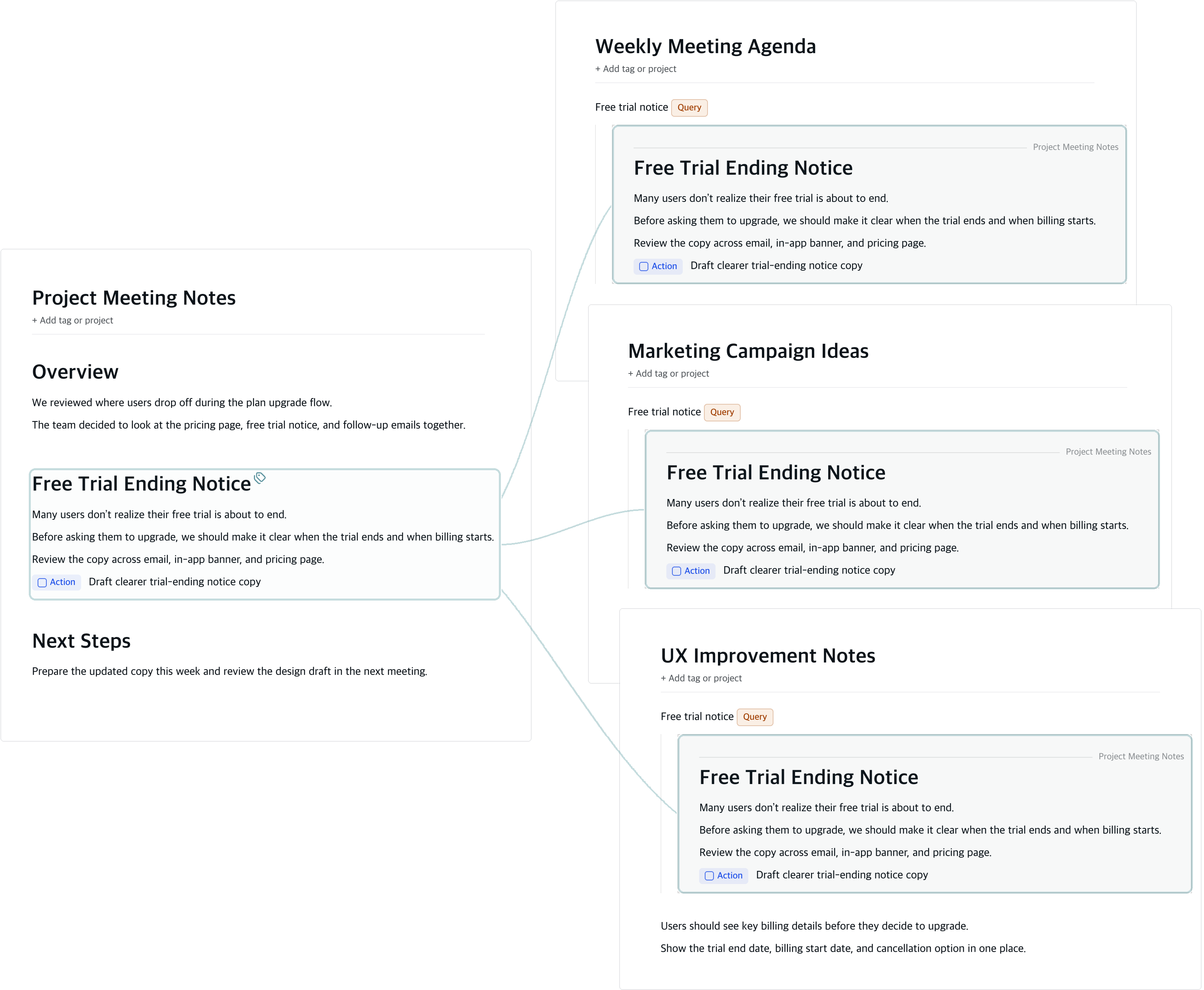
One note from a project meeting can become
part of a UX improvement plan,
a marketing campaign idea,
or an agenda item for next week.
Notaly lets the same note appear in the documents and views where your team needs it.
No digging through old notes,
no chasing links,
no copy-paste. View and edit it in place.
Queries that run inside your documents
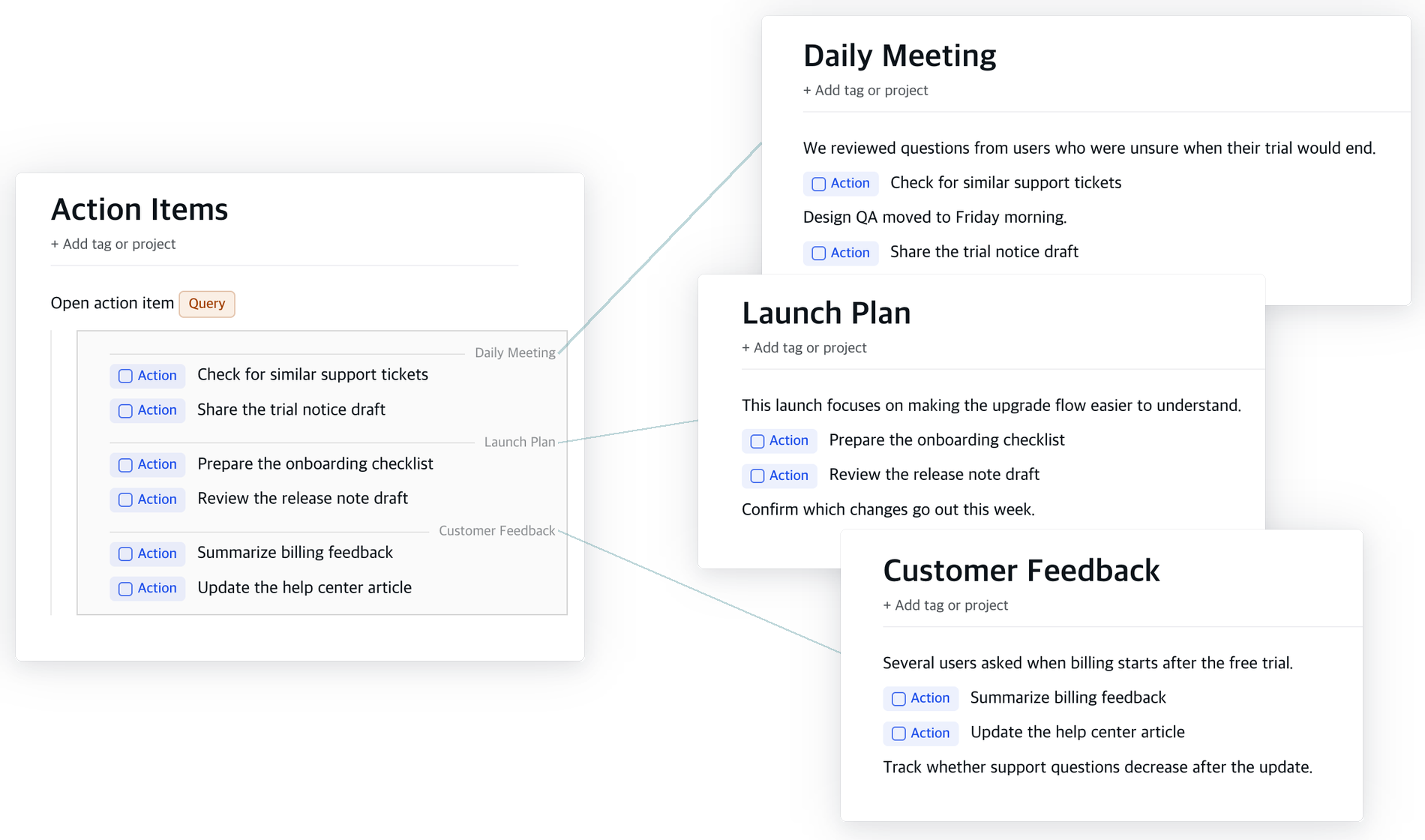
Bring lines scattered across different documents
into one document.
Define the conditions with a query,
and Notaly shows matching lines right inside the current document.
Edit a result, and the source document updates with it.
This same line structure is what AI searches when it gathers your scattered TODOs.
How it works
Write naturally
Write meeting notes, ideas, decisions, and tasks in one document. No need to sort everything into separate documents first.
Add context to reusable lines
Add tags, status, priority, or other details to the lines you want to reuse.
Gather what you need with queries
Use queries to bring related lines together from across your workspace. Collect scattered TODOs with a query yourself, or ask AI to do it.
Edit once, update everywhere
Query results are not copies. Edit a line where it appears, and the original line updates too.
Keep your notes local. Share them only when you choose.
Local-first
Your notes stay on your device. AI can read them only when you choose to connect it. Share or export them only when you need to.
No lock-in
Your notes stay portable. Export them to Markdown whenever you want.
Export as a static site
Export Notaly documents as HTML, CSS, and JavaScript files. Publish them as a static site, so they can be viewed in a browser without the app.
Community
Ask questions, share feedback, and follow product updates.